🚗🏍️ Welcome to Motoshare!

Turning Idle Vehicles into Shared Rides & New Earnings.
Why let your bike or car sit idle when it can earn for you and move someone else forward?

From Idle to Income. From Parked to Purpose.
Earn by Sharing, Ride by Renting.
Where Owners Earn, Riders Move.
Owners Earn. Riders Move. Motoshare Connects.

With Motoshare, every parked vehicle finds a purpose. Partners earn. Renters ride. Everyone wins.

Start Your Journey with Motoshare


How to Install Laravel and Create first View Page in Laravel ?
In this tutorial im going to describe how to install laravel project and create first view pages, so follow some easy steps define below.

First let’s go to install laravel project
Before installation you have to download below software
1. Xampp Download
2. Composer Download

Let's go to install the project first go to your below directory C:\xampp\htdocs and run below code.
composer create-project laravel/laravel learning-project "5.8.*"

lets go to .env folder and put database name and connect to database.

DB_CONNECTION=mysql
DB_HOST=127.0.0.1
DB_PORT=3306
DB_DATABASE=learning-project
DB_USERNAME=root
DB_PASSWORD=
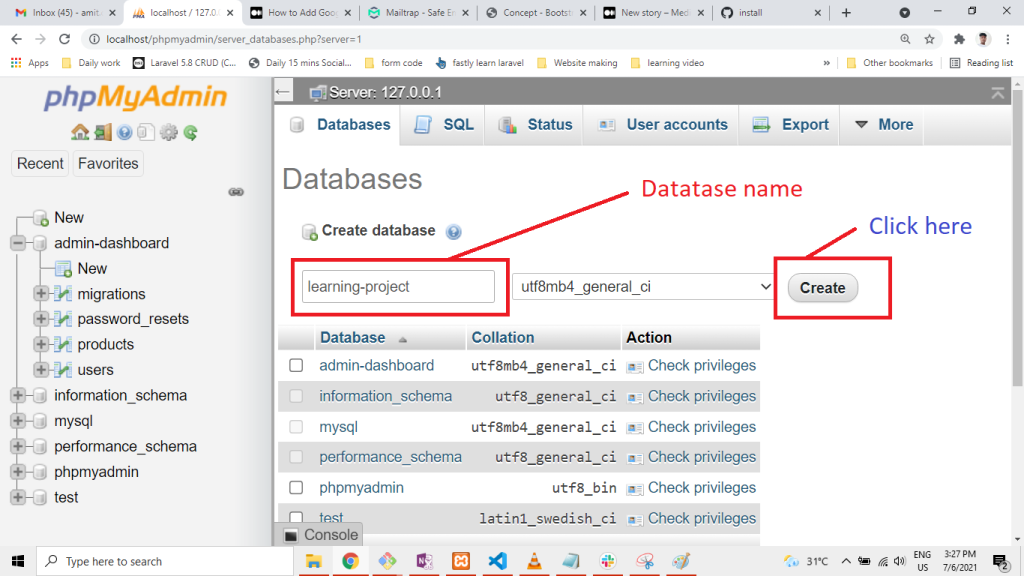
Now migrate the table
php artisan migrate

Now Open your project and go to Resouces/view folder and create folllowing files

create.blade.php
dashboard.blade.php
home.blade.php
blog.blade.php
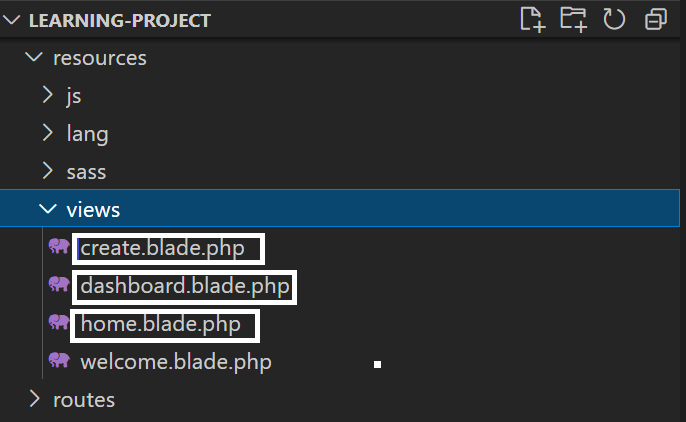
Go to create.blade.php and paste below code

<h1>this is create pages</h1>
Next go to dashboard.blade.php and paste below code

<h1>this is dashboard pages</h1>
Now create blog.blade.php file and paste below lines.

<h1>this is blog pages</h1>
Next go to Route/web.php and add below line

Go to Route/web.php

<?php

/*
|--------------------------------------------------------------------------
| Web Routes
|--------------------------------------------------------------------------
|
| Here is where you can register web routes for your application. These
| routes are loaded by the RouteServiceProvider within a group which
| contains the "web" middleware group. Now create something great!
|
*/

Route::get('/', function () {
    return view('welcome');
});

Route::get('/dashboard', function (){
    return view('dashboard');
});

Route::get('/create', function (){
    return view('create');
});

Route::get('/blog', function (){
    return view('blog');
});

And last one serve below code in your terminal.

php artisan serve
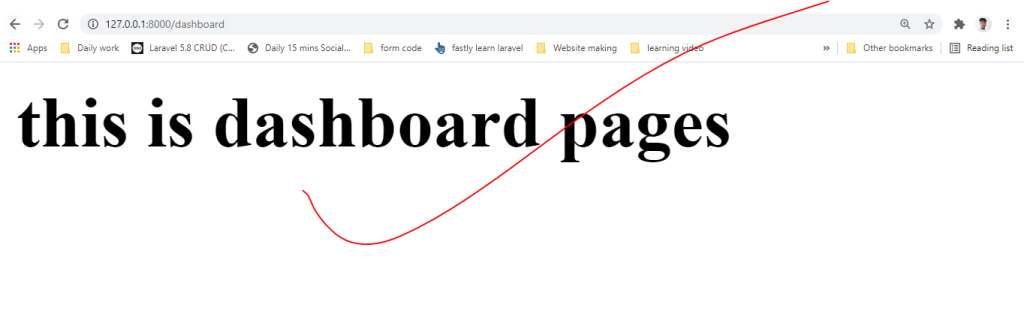
Copy below url and paste in your browser.

http://127.0.0.1:8000/blog
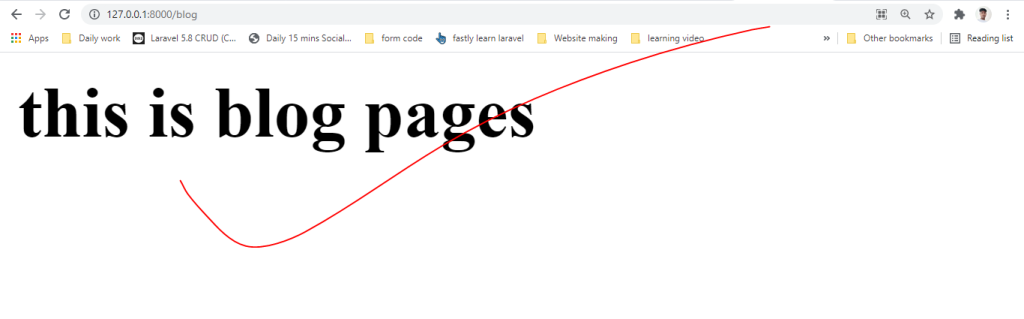
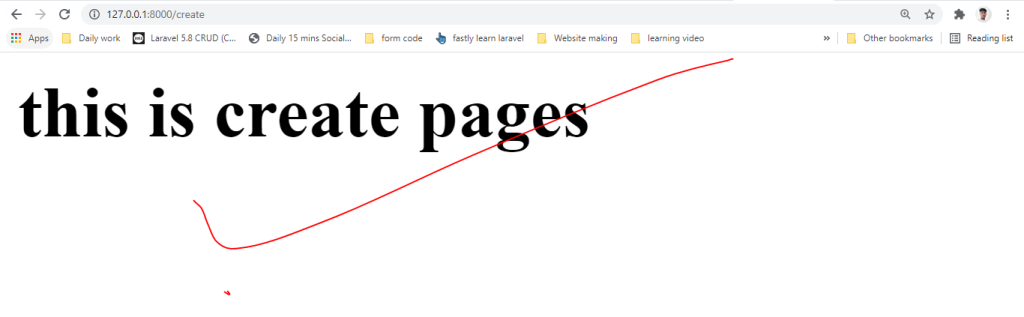
http://127.0.0.1:8000/create

Thank i hope its helpfull for you. 🙏🙏🙏

Hi I am Amit Kumar Thakur Experienced as s Software Developer with a demonstrated history of working in the information technology and services industry. Skilled in HTML, CSS, Bootstrap4, PHP, Laravel-9 , REST API,FB API,Google API, Youtube Api, Bitbucket,Github,Linux and jQuery. Strong engineering professional focused in Computer/Information Technology Administration and Management. Currently my profile is to Software Developer, analyze the requirement, creating frame for web application, coding and maintenance.

Related Posts

Behind the Turnstile: A Realist’s Guide to Attracting Crowds and Keeping Them Engaged

Few things sting quite like putting months into an event only to watch the registration tracker stall out. You have locked down the venue, dialed in the…

Read More

Hiring DevOps Freelancers: How to Set Clear Expectations

A growing SaaS startup recently hired an independent engineer to overhaul its deployment process. The founders envisioned a complete infrastructure modernization: automated container builds, zero-downtime rolling updates,…

Read More

Distributed Access: How Modern Digital Platforms Are Powering Europe’s Event Ecosystem

Introduction Live events across Europe function much like a massive, decentralized network. Across dozens of countries and hundreds of major urban centers, thousands of live touchpoints run…

Read More

The Guide to Hiring a DevOps Freelancer for Security Integration

Modern delivery pipelines allow engineering teams to ship code faster than ever, but accelerating deployments without automated protections turns every release into a potential exposure point. Hardcoded…

Read More

The Modern Insider’s Guide to China’s Live Event Circuit: Discovery, Admission, and Stage-Ready Production

China’s live scene operates on a frequency unlike anywhere else in the world. Spend an evening in any major metropolitan center and the creative and commercial range…

Read More

Guide to Hiring a Kubernetes DevOps Freelancer for Deployment

Introduction Kubernetes has become the global standard for automating containerized application deployment, scaling, and operational resilience, but running it in production demands specialized engineering expertise that internal…

Read More
0 0 votes
Article Rating
Subscribe
Notify of
guest
0 Comments
Oldest
Newest Most Voted
0
Would love your thoughts, please comment.x
()
x